Run a sale
Promotions and coupons · Updated 23 November 2026 · 2 min read
Lower prices on categories or products for a time, with an optional free-delivery offer.
A promotion changes prices in your store by itself, with no code to type. Use it for an Eid sale, a flash sale or a clearance. Shoppers see the new price with the old one crossed out.
1. Create the promotion
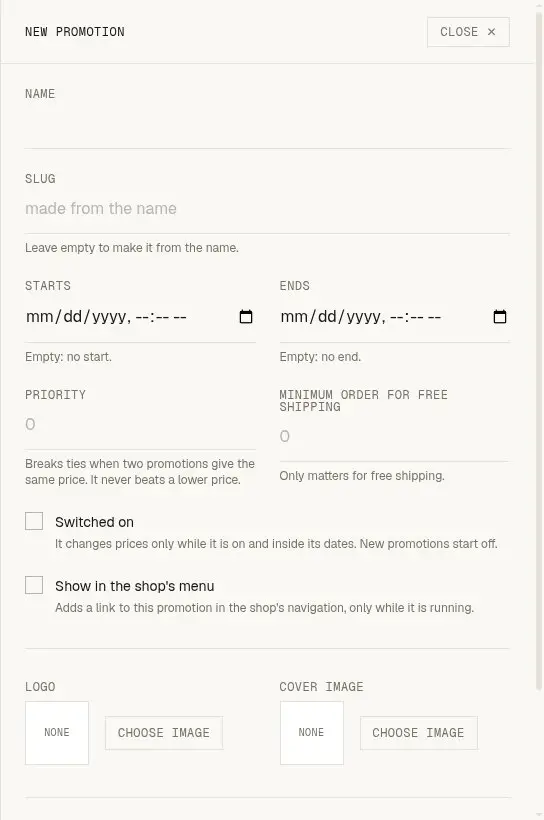
Go to Promotions and select New promotion.
Give it a Name, like "Eid Sale".
Set Starts and Ends, or leave them empty for no start or end.
Tick Show in the shop's menu to add a link to the sale page while it's running. Add a Cover image for that page.
Save. New promotions start off.
2. Add rules
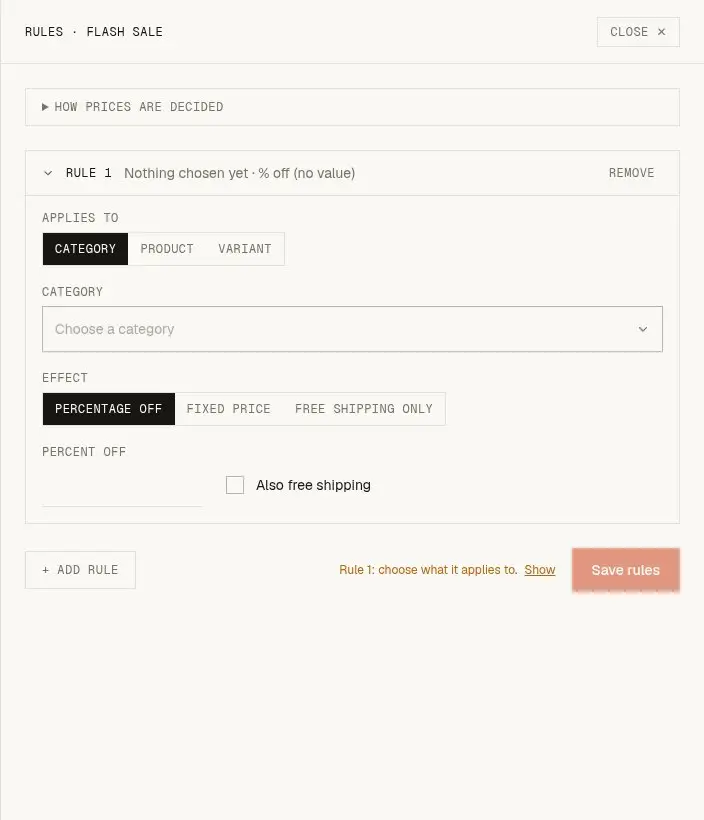
Select Rules next to the promotion, then + Add rule.
- Applies to: a Category (and everything under it), a Product or one Variant.
- Effect: Percentage off, a Fixed price, or Free shipping only. Tick Also free shipping to add free delivery to a discount.
Add more rules if needed, then Save rules.
3. Switch it on
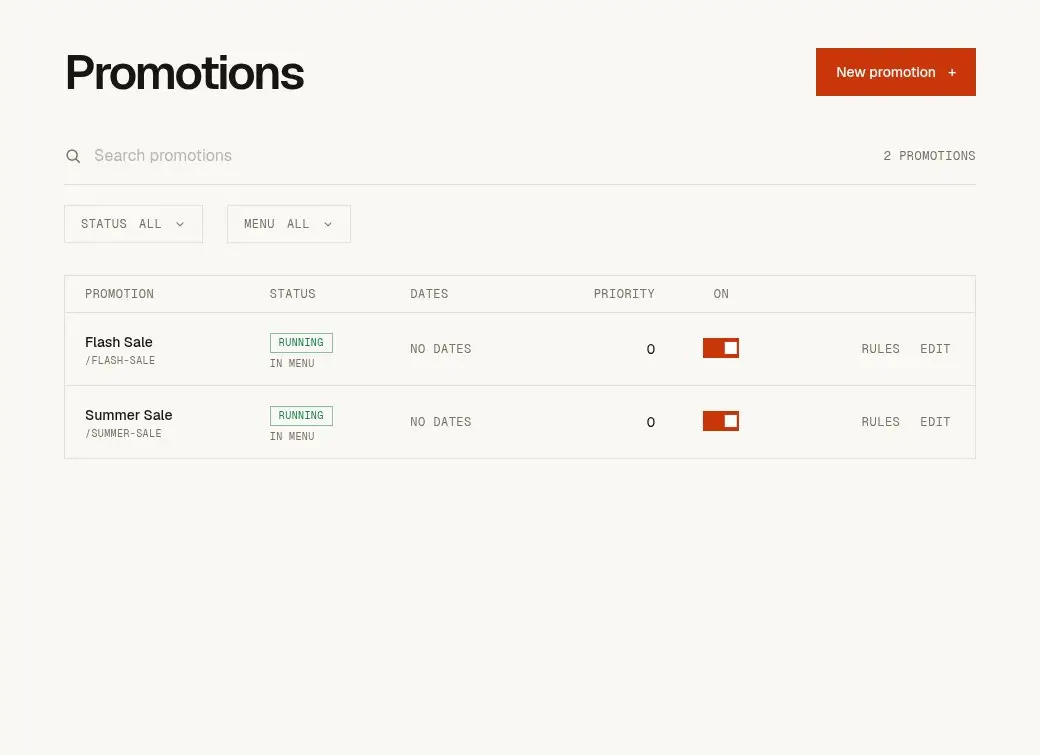
Turn on the switch in the On column. Prices change only while it's on and inside its dates. Switching it off puts prices back at once.
When two sales overlap
The lowest price always wins. On a tie, the higher Priority wins, then the older promotion. Minimum order for free shipping only matters for the free delivery part.
Your plan
Plans limit how many promotions can be active at once. Settings › Plan and usage shows yours.