Edit your menus
Pages, menus and blog · Updated 23 November 2026 · 1 min read
The links in your store's header and footer.
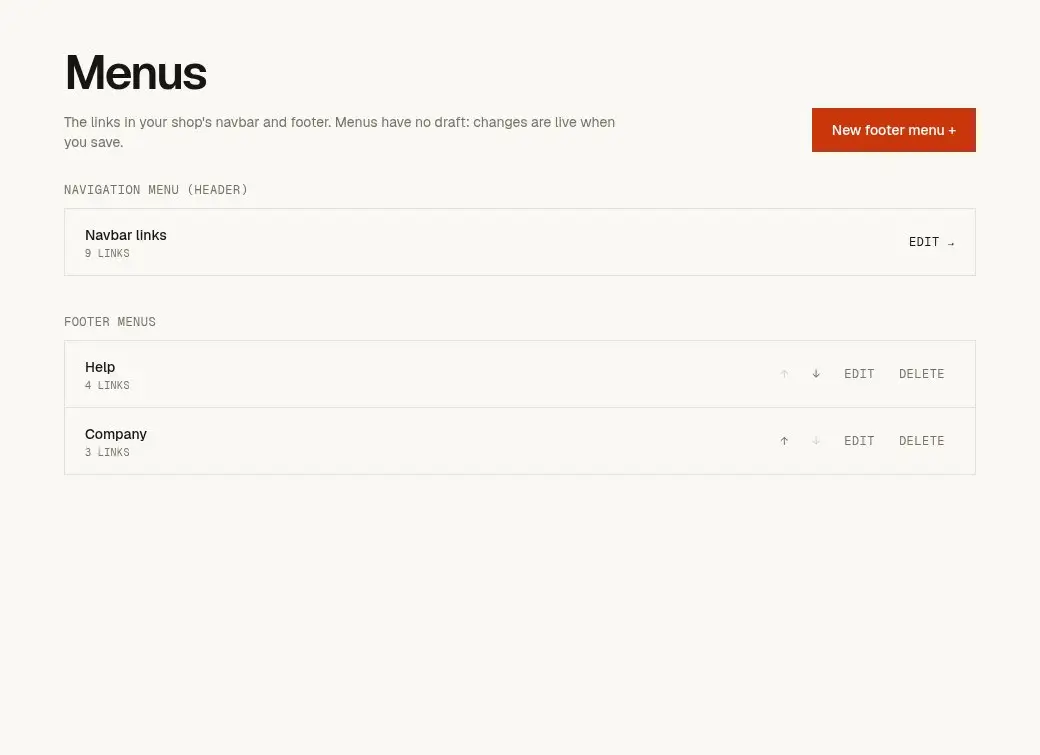
Your store has one Navigation menu (header) and any number of footer menus, like "Help" and "Company". Menus have no draft: changes show as soon as you save.
Change a menu
Go to Pages › Menus and select Edit on a menu.
Select + Add link. Type the Label and choose what it Opens: a page, a category, a product, a promotion, a blog post, or a URL.
Add a + Sub-link under it for a drop-down.
Drag links to reorder them, then save.
Add a footer menu
Select New footer menu +, give it a name, add links and save. Use the arrows in the list to change the order of footer menus.
Deleted pages
If a page or product a link points to is deleted, the link is marked missing in red. Remove it and pick another.