Sync your product catalog
Marketing, SEO and social · Updated 23 November 2026 · 1 min read
Keep Facebook, Instagram, TikTok and Google catalogs in step with your stock.
A product feed is a web address that lists your products with prices, pictures and stock. Paste it into Facebook, TikTok or Google once. They fetch it on a schedule, so your catalog stays up to date by itself. Use it for shopping ads, Instagram and Facebook Shops, and free Google listings.
Add a feed
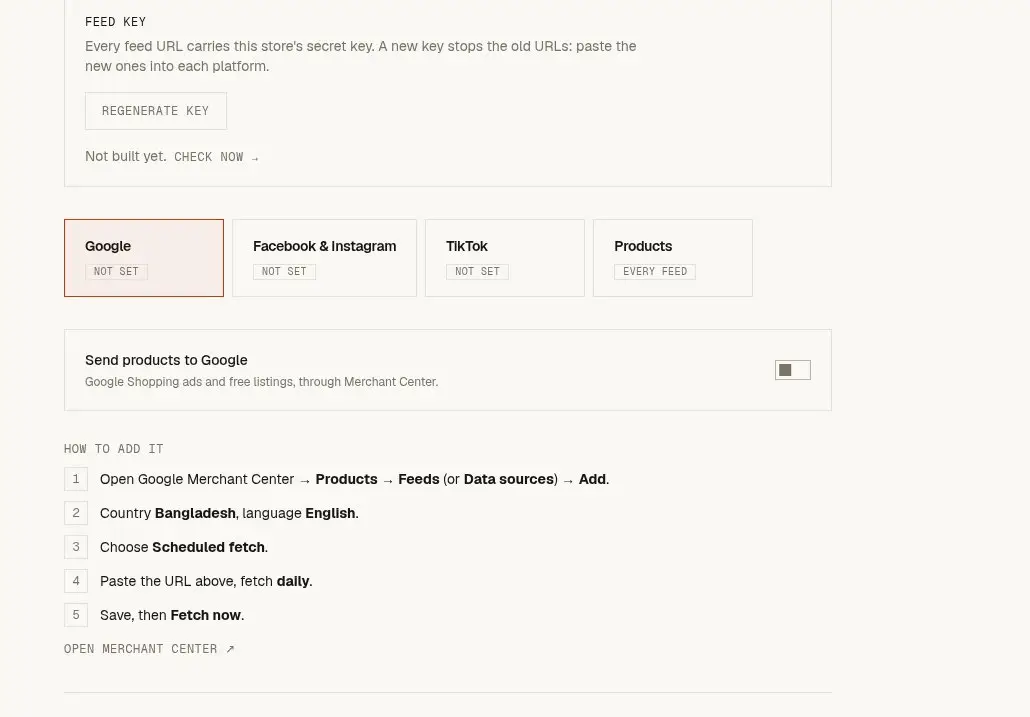
Go to Settings › Feed.
Pick the platform: Google, Facebook & Instagram or TikTok, and copy its feed address.
Follow How to add it on the same screen. For Google: Merchant Center › Products › Feeds › Add, country Bangladesh, language English, scheduled fetch, paste the address, fetch daily.
Use Products to choose which products go in the feeds.
Tip: Under Google categories, match your categories to Google's. It's optional, but helps Google approve your products for ads.
Keep the key private
Each feed address contains your store's secret key. If you think it leaked, select Regenerate key, then paste the new addresses into each platform. The old ones stop working.