Edit titles for Google
Marketing, SEO and social · Updated 23 November 2026 · 1 min read
Set the title and description search engines show for each page.
Your store already makes a sitemap and a robots.txt, and gives every page a title and description from its name and text. You can write your own for any page to get more clicks from Google.
For a product
Open the product in Products.
On Details, open Search engine details.
Write the Meta title (about 60 characters) and Meta description (about 155 characters). Save.
Pages, blog posts, categories, promotions and the home page have the same fields, under Search engine details or Search and sharing (SEO).
Store-wide settings
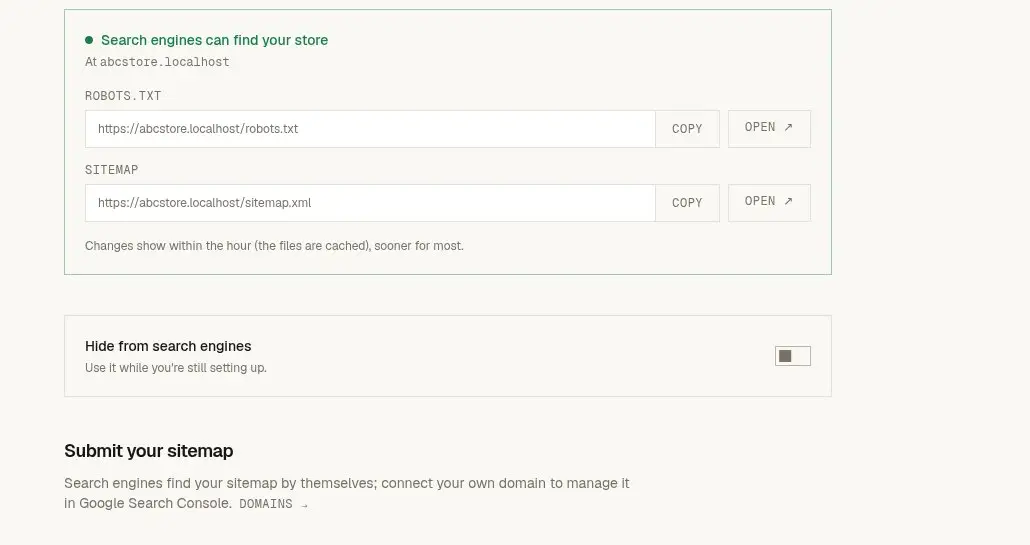
Go to Settings › SEO.
Check that it says Search engines can find your store. Turn on Hide from search engines only while you're still setting up.
Copy your Sitemap address and submit it in Google Search Console.
Tip: Write titles the way buyers search: "Cotton Panjabi for Men – Free Delivery in Dhaka" works better than just "Panjabi 102".