Book a Pathao or Steadfast parcel
Orders and delivery · Updated 23 November 2026 · 2 min read
Send the parcel details to Pathao or Steadfast in one click and keep the tracking code on the order.
Connect your own Pathao or Steadfast merchant account once, then book a parcel from any confirmed order without typing the address again. Delivery updates from the courier come back to the order on their own.
Before you start
You need a merchant account with Pathao or Steadfast, and its API details. Pathao gives a client ID, a client secret, your login email and password, and a store ID. Steadfast gives an API key and a secret key.
1. Connect the courier (once)
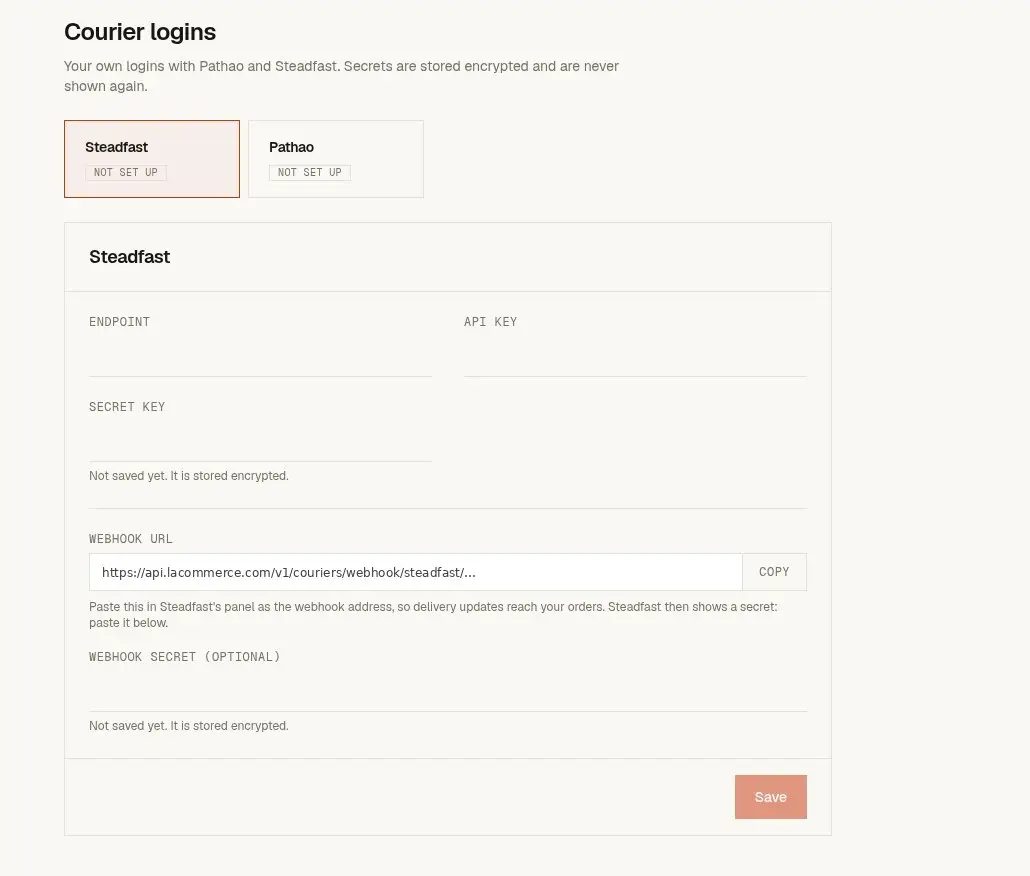
Go to Settings › Shipping and scroll to Courier logins.
Open the Pathao or Steadfast tab and fill in the details from your courier account.
Copy the Webhook URL and paste it in the courier's merchant panel as the webhook address. If the courier then shows a secret, paste it in Webhook secret.
Select Save. The secrets are stored encrypted and never shown again.
2. Book a parcel
Open a confirmed order. A courier can only be added once the order is confirmed.
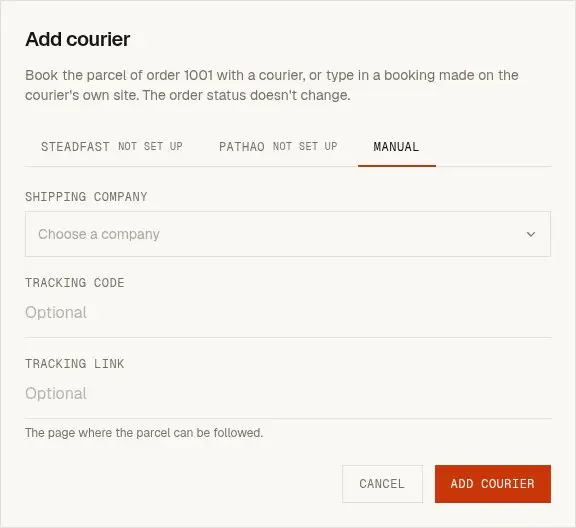
Select Add courier and pick Pathao or Steadfast.
Check the name, phone, address, Cash to collect (0 when it's paid), weight and items. Add a Note for the courier if needed.
Select Add courier. Booking can take a few seconds. The tracking code and link then show on the order.
Booking doesn't change the status
Adding a courier doesn't move the order. Select Mark shipped when the rider picks it up.
Another courier (RedX, Sundarban…)
Choose Manual, pick the Shipping company and type the Tracking code. Add your own companies in Settings › Shipping › Companies, with a tracking link containing {code}, so the link is made for you.
Common questions
The order shows "Needs attention"
The courier reported a problem, like a failed delivery. Open the order, read what the courier says, and contact the buyer or the courier.
The booking failed
Check your courier login in Settings › Shipping, and that the address has a valid phone number. The error from the courier shows on the order.