Confirm and invoice an order
Orders and delivery · Updated 23 November 2026 · 3 min read
Check a new order, confirm it with the buyer and print the invoice.
Every order moves through statuses: Pending → Confirmed → Processing → Shipped → Delivered. It can also end as Cancelled or Returned. New orders from your store arrive as Pending, and you get a notification.
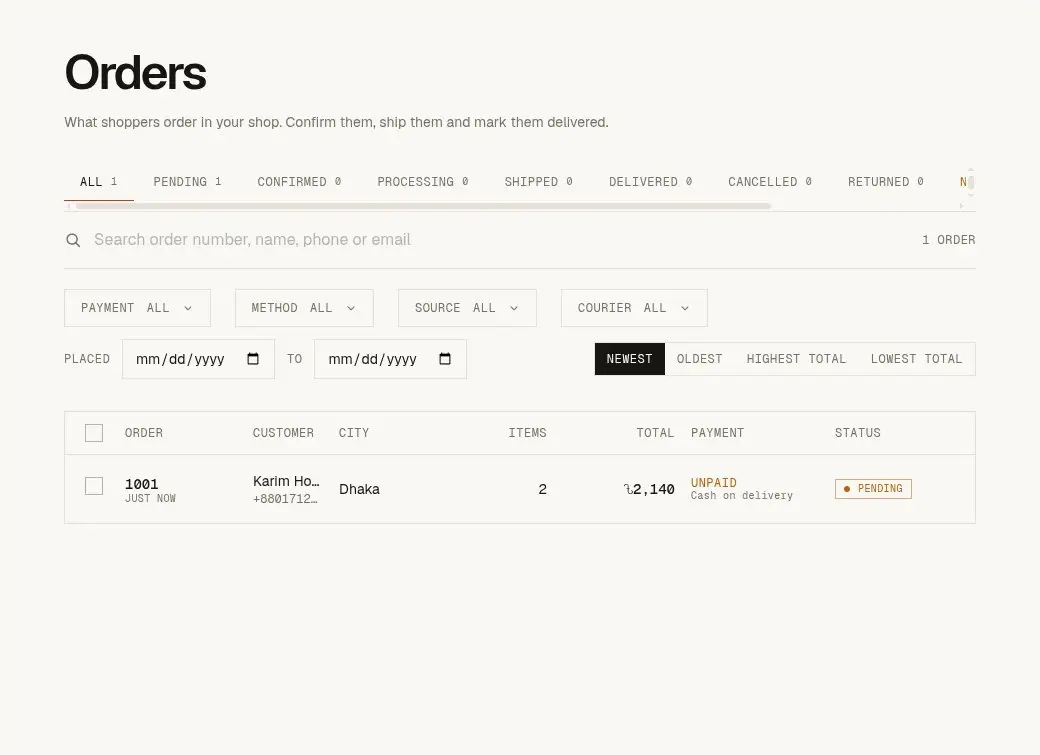
Confirm a new order
Go to Orders and open the Pending tab. Select the order.
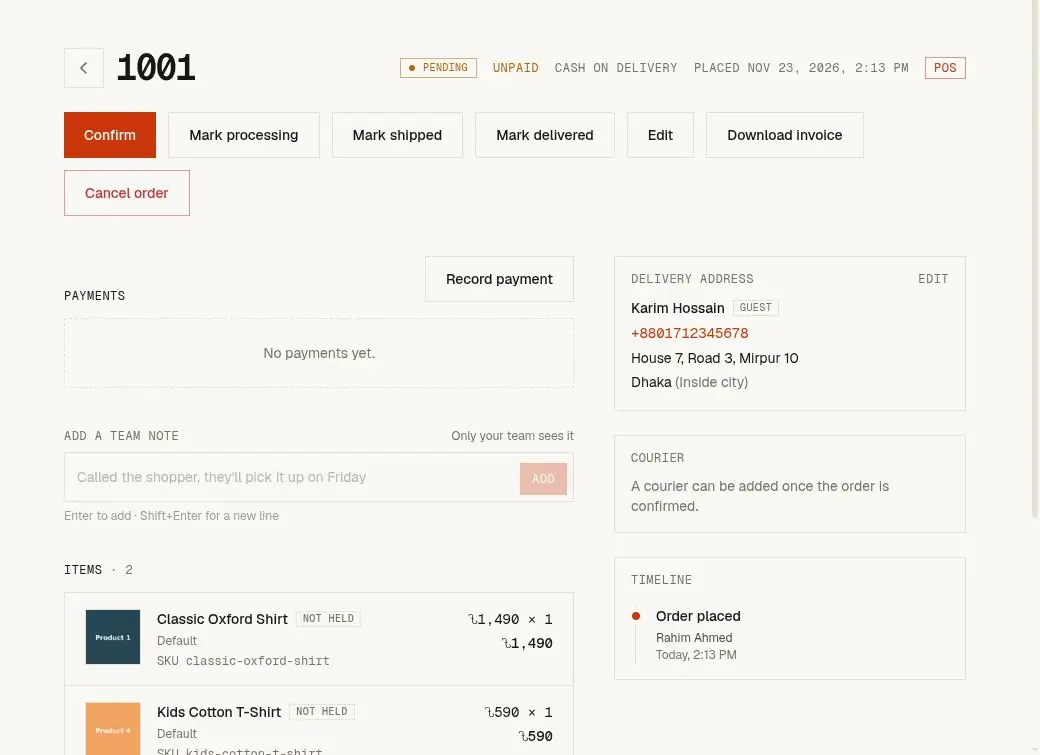
Check the items, the total and the delivery address. For cash on delivery, many sellers call the buyer to confirm first.
Select Confirm. You can add a Note for the shopper, which they see on their order page.
Select Confirm in the box. The stock is now held for this order, so nobody else can buy it.
Not enough stock?
If there isn't enough left to hold for the order, the confirm is refused. Restock the item, or edit the order first.
Print the invoice
Select Download invoice on the order. It saves a PDF you can print and put in the parcel.
Move the order along
- Mark processing: you're packing it.
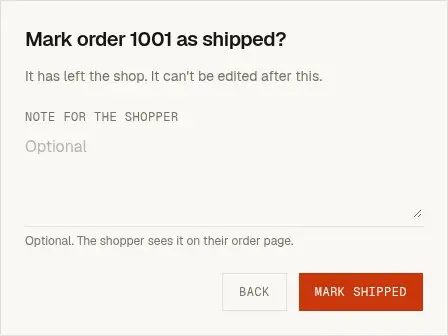
- Mark shipped: it has left the shop. The order can't be edited after this.
- Mark delivered: the buyer has it. The stock counts as sold, and for cash on delivery the amount due is recorded as paid.
- Mark returned: the parcel came back. You're asked whether to put the items back in stock.
- Cancel order: give a reason. The shopper sees it.
Tip: To move many orders at once, tick them in the list and use the bar at the bottom: Confirm, Processing, Shipped, Delivered or Cancel.
Edit an order
Until it's shipped, select Edit to change the contact, the delivery address, the delivery fee or an extra discount. Use Add a team note for notes only your team sees. Every change is written in the Timeline.
Common questions
Does the customer get an email when I confirm?
Yes, if email is set up in Settings › Email and the customer gave an email address.
What does Held mean next to an item?
The stock for it is held for this order. Sold means it was delivered, and Released means the hold was let go (for example, the order was cancelled).