Cancellations and returns
Orders and delivery · Updated 23 November 2026 · 2 min read
Cancel an order, take a parcel back, and decide what goes back into stock.
Cancel an order
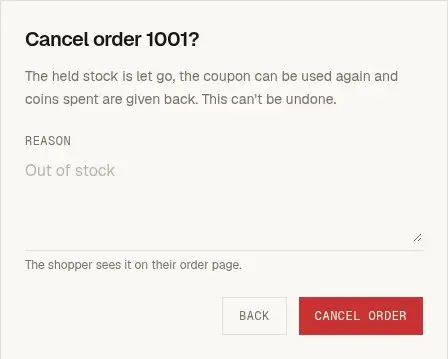
Open the order and select Cancel order.
Type a Reason, like "Out of stock" or "Customer changed their mind". The shopper sees it on their order page.
Confirm. The held stock is let go, the coupon can be used again, and any coins spent are given back.
Customers can cancel too
A shopper can cancel their own order from their account while it's still pending and unpaid. You get a notification, and the order shows who cancelled it.
A parcel came back
Open the order (it's Shipped or Delivered) and select Mark returned.
Answer Put the items back in stock?: Yes, back in stock if they can be sold again, or No, damaged.
Confirm.
Money after a cancel or return
- If the order was paid, it shows Refund due. Send the money back, then Record refund. See Refund an order.
- Cash on delivery marked delivered by mistake, and the parcel never paid? Select Undo on that payment.
Tip: Analytics › Orders shows why orders are cancelled and the return rate for each city and courier. Use it to spot areas where cash on delivery often fails.