Cash on delivery
Payments · Updated 23 November 2026 · 2 min read
Turn cash on delivery on or off at checkout.
With cash on delivery, the customer pays the delivery person when the parcel arrives. It's on for new stores.
Turn it on or off
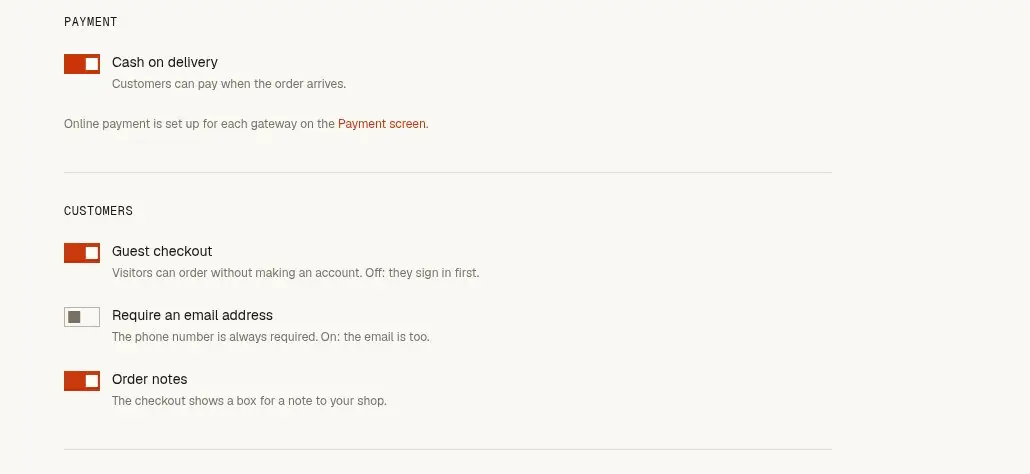
Go to Settings › Checkout.
Under Payment, switch Cash on delivery on or off.
Save your changes.
Turning it off
With cash on delivery off, customers can only order if an online gateway (bKash, Nagad or SSLCommerz) is active. Otherwise nobody can check out.
When the cash comes in
- When you select Mark delivered on a cash on delivery order, the amount due is recorded as paid.
- The dashboard's Cash to collect card counts cash on delivery orders still on their way.
- Booking a courier from the order sends the Cash to collect amount to the courier, so the rider collects the right sum.
Common questions
The parcel was refused, but I already marked it delivered
Open the order and select Undo on the cash on delivery payment. It's for money that was recorded but never received. Then mark the order returned.
Can I ask for an advance (like the delivery fee) first?
Ask the buyer to send it by bKash or Nagad, then add it on the order with Record payment › By hand. The rest stays due on delivery.