Low-stock warnings
Products and inventory · Updated 23 November 2026 · 1 min read
Get warned before a size runs out.
LaCommerce watches the stock of every variant. A variant is low when 5 or fewer are left to sell, and out of stock when none are left.
Where you get warned
- Notifications: the bell shows "… is running low" once per variant (again only after it's restocked), and "… is out of stock" when it runs out.
- Dashboard: Needs action shows Low stock (variants with 1–5 left) and Out of stock.
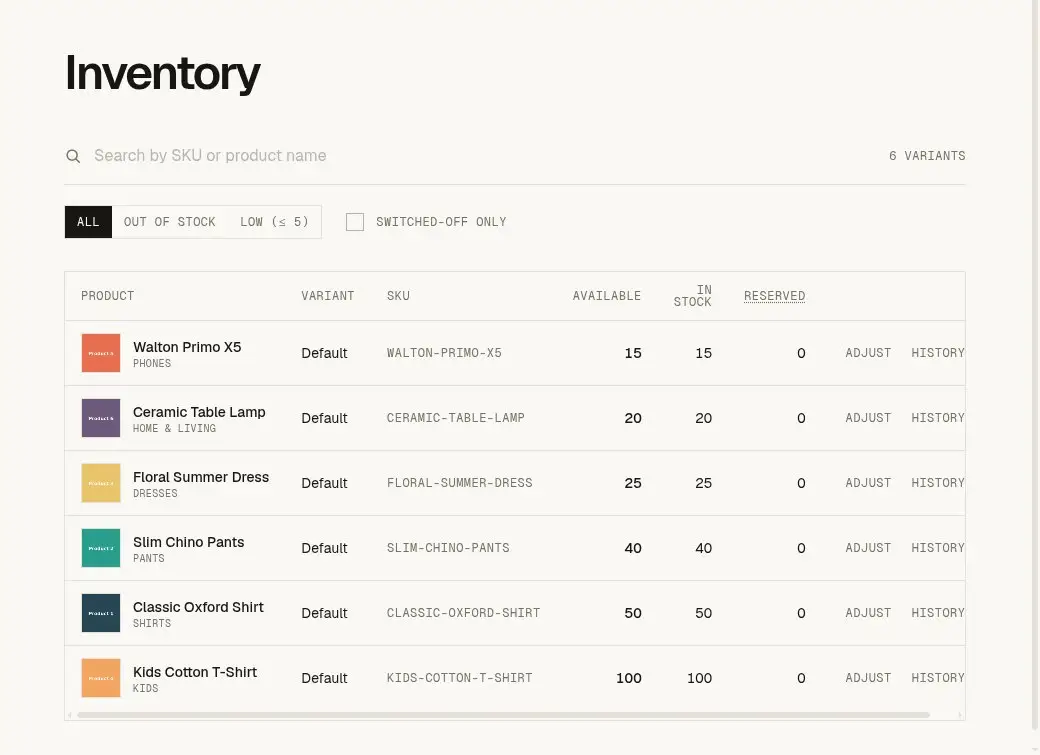
- Inventory: Products › Inventory has Out of stock and Low (≤ 5) filters.
Get warnings by email
Select Settings at the bottom of the menu, then Notifications.
In the Stock row, turn on Email.
Available, not just in stock
Warnings use the available number: what's in stock minus what confirmed orders are holding. Five shirts in stock with three on confirmed orders means only two are available.